
- Why Your Internal Training Library Stops the Toggle Tax
- Why Static Documents are Dying (and Video is Winning)
- Setting Up Your Internal Training Library Structure
- 5 Steps to Onboard Teams Faster
- The Onboarding Checklist
- A Realistic Onboarding Example
- Final Decision: Standardize or Stagnate
The Hidden Cost of Knowledge Silos
Every founder dreams of the day their business scales beyond their personal capacity. However, most hit a physical wall. This wall isn’t a lack of leads or capital; it is the Founder’s Bottleneck. When every process, nuance, and “how-to” lives exclusively inside your head, you aren’t a CEO—you are a walking, talking manual.
Internal Training Library development is the only definitive way to stop answering the same three questions every single day. Most teams fail to scale because their operations are tribal rather than documented. When you grow, that lack of structure becomes a weight. As an Ops Manager, you know that without a central Internal Training Library, your team is flying blind.
In this guide, we will explore how to eliminate the Toggle Tax, improve Operational Efficiency, and build a self-sustaining onboarding machine using CRM & Revenue Automation.
<h2 id=”toggle-tax”>1. Why Your Internal Training Library Stops the Toggle Tax</h2>
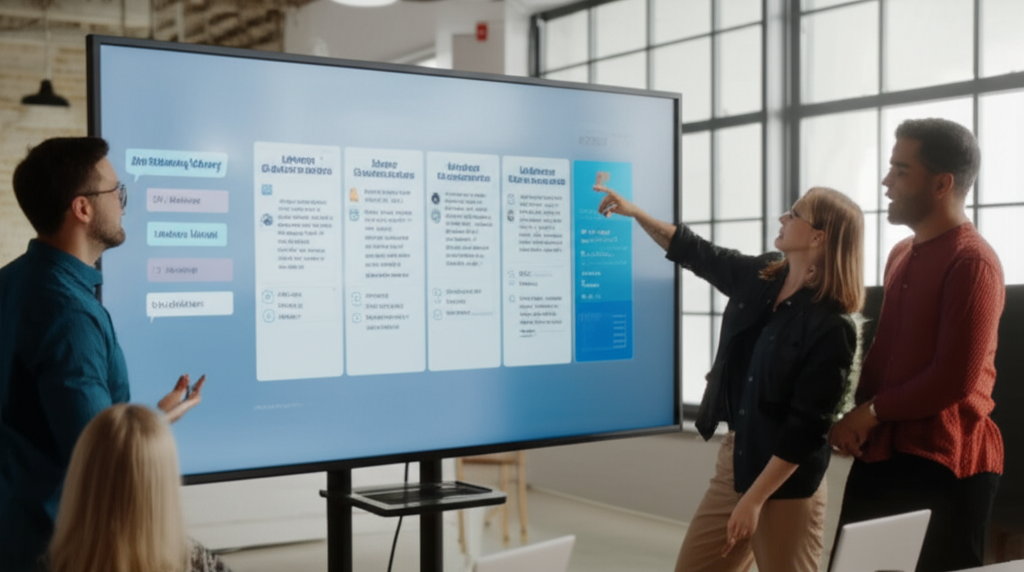
The “Toggle Tax” refers to the mental energy drained when an employee switches between different applications to find a single piece of information. Research by the Harvard Business Review suggests it takes an average of 23 minutes to fully regain focus after a distraction. If your sales rep has to leave their Customer Relationship Management platform because you lack an Internal Training Library, they lose momentum.
The Psychology of Flow in Sales
Remote teams struggle most when information is scattered. High-performing teams rely on “Flow State.” To maintain this, we recommend building your Internal Training Library directly inside your revenue platform.
When everything lives in one central hub, your team stays focused. They do not need to exit the “Opportunities” pipeline to learn how to handle a specific objection. They simply access the Internal Training Library, watch a sixty-second clip, and immediately apply the knowledge. This setup saves hundreds of hours of manual coaching annually.
<h2 id=”video-vs-static”>2. Why Static Documents are Dying (and Video is Winning)</h2>
For years, companies relied on 50-page PDF manuals. The reality? Nobody reads them. Static documents are hard to update and even harder to digest. Furthermore, text can be misinterpreted.
The Video Advantage
By utilizing a video-first Internal Training Library, you cater to how the modern brain processes information. A short screen-recording of a task being performed is infinitely more valuable than a bulleted list of instructions. This reduces “Interpretation Error”—the gap between what you wrote and what the employee actually did.
Integrating these videos into your Business Process Automation ensures that your Internal Training Library is not just a one-time event, but a constant resource. In the fast-paced world of CRM & Revenue Automation, a video that is easy to update beats a static PDF every time.
<h2 id=”library-structure”>3. Setting Up Your Internal Training Library Structure</h2>
A proper Internal Training Library starts with high-value actions. Do not attempt to record every single task on day one; this leads to burnout. Instead, focus on the “Daily Repeatables.” These are the tasks that happen every single day and offer the highest immediate ROI for your time.
The Logic of Business Process Automation
We use a simple “Trigger → Action” workflow to ensure your Internal Training Library is actually used. In a platform like ClientMax, the logic looks like this:
-
Trigger: A “New Hire” tag is added to a user profile.
-
Action: The system automatically triggers a Sales Workflow Automation that sends a series of emails with direct links to the relevant Internal Training Library modules.
(SEO Note: Set Alt-Text to: Automated workflow for Internal Training Library delivery)
<h2 id=”onboarding-steps”>4. 5 Steps to Onboard Teams Faster</h2>
Let’s break down the implementation strategy for your Internal Training Library into five actionable phases.
Step 1: Audit the Chaos
Start by listing the top ten questions your current team asks most frequently. These are your “Low Hanging Fruit.” If a question has been asked twice, it deserves a 60-second video in your Internal Training Library.
Step 2: Record the “Game Tape”
You don’t need a film crew. Use a simple screen recorder to capture your screen while you perform a routine task. High production value is not as important as clear, actionable content for your Internal Training Library.
Step 3: Centralize the Hub
Upload these videos into your Internal Training Library dashboard. Categorize them by department: Sales, Support, or Admin. This is where your CRM & Revenue Automation tool becomes your most valuable asset.
Step 4: Automate the Delivery
Use Sales Workflow Automation to drip-feed the training. Sending 50 videos at once is overwhelming. Instead, deliver the Internal Training Library content in phases based on the employee’s start date.
Step 5: Test for Retention and Mastery
Include a brief quiz after each major module in the Internal Training Library. This isn’t just to “check up” on employees; it’s to ensure the training was clear and the Onboarding Process is working.
<h2 id=”roi-math”>5. The ROI of Knowledge Management: By the Numbers</h2>
To understand the value of an Internal Training Library, we have to look at the math of human capital. Let $C$ be the cost of a senior manager’s time, $H$ be the number of hours spent training, and $N$ be the number of new hires per year.
Without an Internal Training Library, $H$ is usually 40+ hours per hire. With a library, $H$ drops to 5 hours. Beyond the dollars, Statista reports that companies with structured onboarding see an 82% improvement in new hire retention. You aren’t just saving time; you are protecting your most expensive asset: your people.
<h2 id=”onboarding-checklist”>6. The Ultimate Onboarding Checklist</h2>
Use this checklist to verify if your Internal Training Library is ready for your next hire:
-
[ ] Unified Credentials: Are all logins for the CRM and internal tools ready?
-
[ ] Automated Welcome Sequence: Is the first “Welcome” email active?
-
[ ] Library Access: Has the user been granted permissions to the Internal Training Library?
-
[ ] Whisper Feature: Is the live coaching “Whisper” feature enabled for their first calls?
-
[ ] Task Dashboard: Have their daily KPIs and task views been assigned?
-
[ ] Milestones: Are the 30, 60, and 90-day goals clearly documented in the system?
<h2 id=”scalefast-case”>7. A Realistic Onboarding Example: ScaleFast Agency</h2>
Let’s look at ScaleFast, a digital agency that struggled with turnover. Before implementing an Internal Training Library, onboarding a new account manager was a nightmare. It took 40 hours of a senior director’s time.
By implementing an automated Internal Training Library within their CRM, they reduced manual training by 87%. New hires watched the videos and passed their competency tests before their first one-on-one meeting. Consequently, ScaleFast scaled from 5 to 25 employees in just six months without the founder burning out.
<h2 id=”final-decision”>8. Final Decision: Standardize or Stagnate</h2>
The learning curve for new software can be steep. However, the risk of not having an Internal Training Library is much higher. You lose data, you lose time, and eventually, you lose your best people to burnout.
Stop being the person who has to explain how to change a password or send an invoice. Put those answers in a video. Let the Business Process Automation handle the repetition so you can focus on high-level strategy and revenue growth.
To stop the onboarding bottleneck and scale your operations with a world-class Internal Training Library, click the golden button below to start your free trial with ClientMax now.

0 Comments