Automated Appointment Reminders & Confirmations: The Guide to Zero No-Shows
 Maximus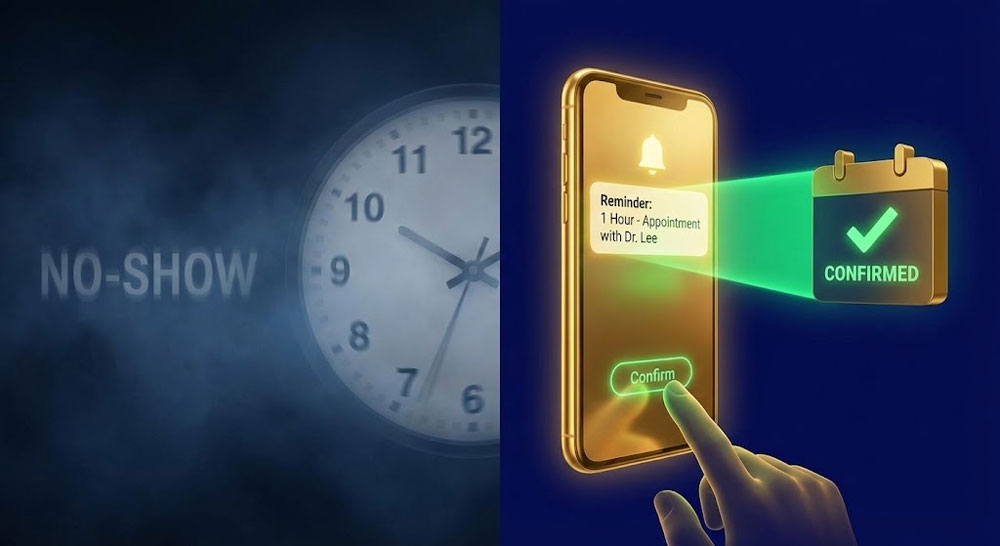
In this article:
Automated appointment reminders are the single most effective tool for stopping revenue leakage in sales pipelines. There is nothing more frustrating than paying for a lead, booking the meeting, and staring at an empty Zoom room.
While appointment booking automation gets the meeting on the calendar, you need a robust system to ensure they show up. This guide covers how to deploy automated appointment reminders that respect your prospect’s time while maximizing attendance.
Why Automated Appointment Reminders Are Critical
People rarely blow off meetings out of malice. They do it for two reasons:
- Forgetfulness: They booked the call on Tuesday for Friday. By Friday, life has happened, and they simply forgot.
- Loss of Interest (Cooling Off): The urgent pain they felt when they booked has subsided.
Your automated appointment reminders must address both issues simultaneously. They must serve as a logistical alert ("Don't forget!") and a value reinforcer ("Here is why this call matters!").
SMS vs. Email vs. Voice: Choosing the Channel
Not all reminders are created equal. You should use specific channels for specific types of communication:
- Email: Good for "paper trails" (Zoom links, agendas). However, open rates are often below 20%.
- SMS: The gold standard. According to data from Gartner, SMS open rates can be as high as 98%. This is where urgency lives.
- Voice (AI Call): High intrusion. Use only for high-ticket appointments (e.g., a home install confirmation).
The Strategy: Use Email for information and SMS for action.
The Best Automated Appointment Reminders Cadence
At ClientMax, we have tested millions of reminders. The highest performing cadence for automated appointment reminders follows a "24-1" structure. This ensures the prospect is prepped without being annoyed.
Step 1: Immediate Confirmation (0 Minutes)
Purpose: Validation. "We have it on the books."
Step 2: The 24-Hour "Soft Check"
Purpose: Re-commitment. This reminds them why they booked.
Step 3: The 1-Hour "Action Alert"
Purpose: Logistics. This provides the link right when they need it.
"Hard" Confirmations: Forcing a Reply
For high-value meetings, a passive reminder isn't enough. You need the prospect to actively confirm they are coming. You can configure ClientMax to send a "Hard Confirmation" request.
Handling Reschedules Automatically
Life happens. If a prospect replies "I can't make it," your automation shouldn't break. It should pivot immediately to save the lead.
Compliance: Avoiding the Spam Folder
To ensure your automated appointment reminders actually get delivered, you must follow A2P 10DLC regulations. Carrier filters are aggressive, and non-compliant messages will be blocked.
- Identify Yourself: Always include your business name in the first text.
- Opt-Out Language: Ensure the user knows they can "Reply STOP to unsubscribe."
- Frequency Cap: Do not send more than 3 reminders for a single appointment unless the user engages.
Final Thoughts on Automated Appointment Reminders
An appointment on a calendar is just a promise. A robust system of automated appointment reminders turns that promise into a meeting. By automating this cadence, you remove the anxiety of the "will they show up?" guessing game and keep your sales team focused on closing, not chasing.
Once the meeting ends, the automation journey continues. You need to ensure the data is captured correctly.
If you are ready to secure your calendar and ensure your leads actually show up, click the golden button below to start your free trial with ClientMax now.
Ready to take your business to the next level?
Automate your growth and operations today.